You can set and/ or edit permissions for various users for individual datasets in Hub or Study.
Share your custom dataset table with others:
- Share your custom dataset table with others through Share, located on the top right. (Users you wish to invite must be be within the same organisation group as you under the User Admin Console.)
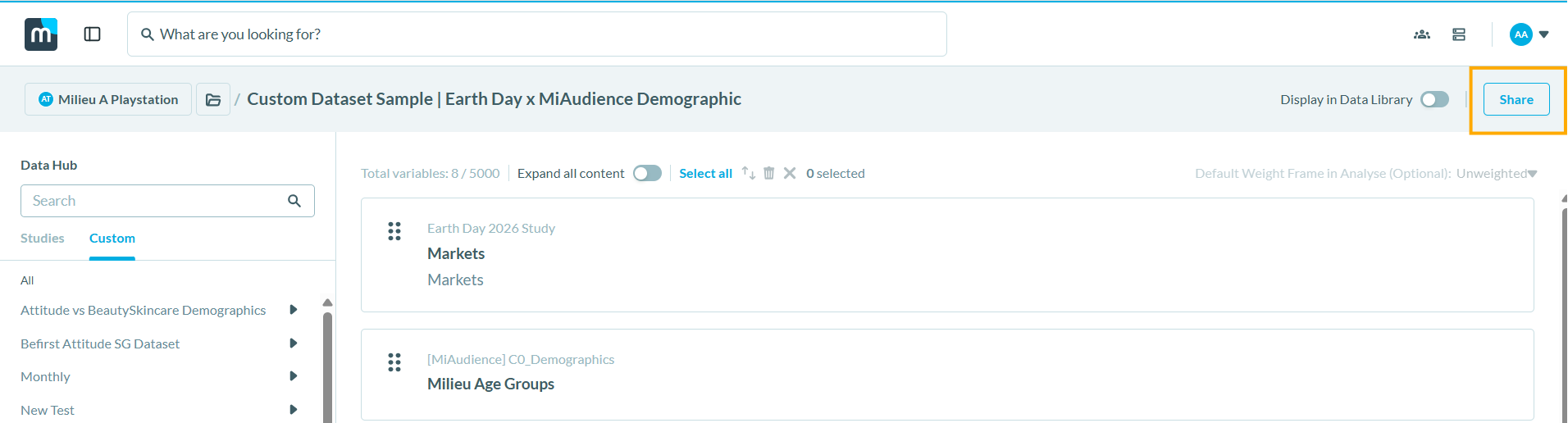
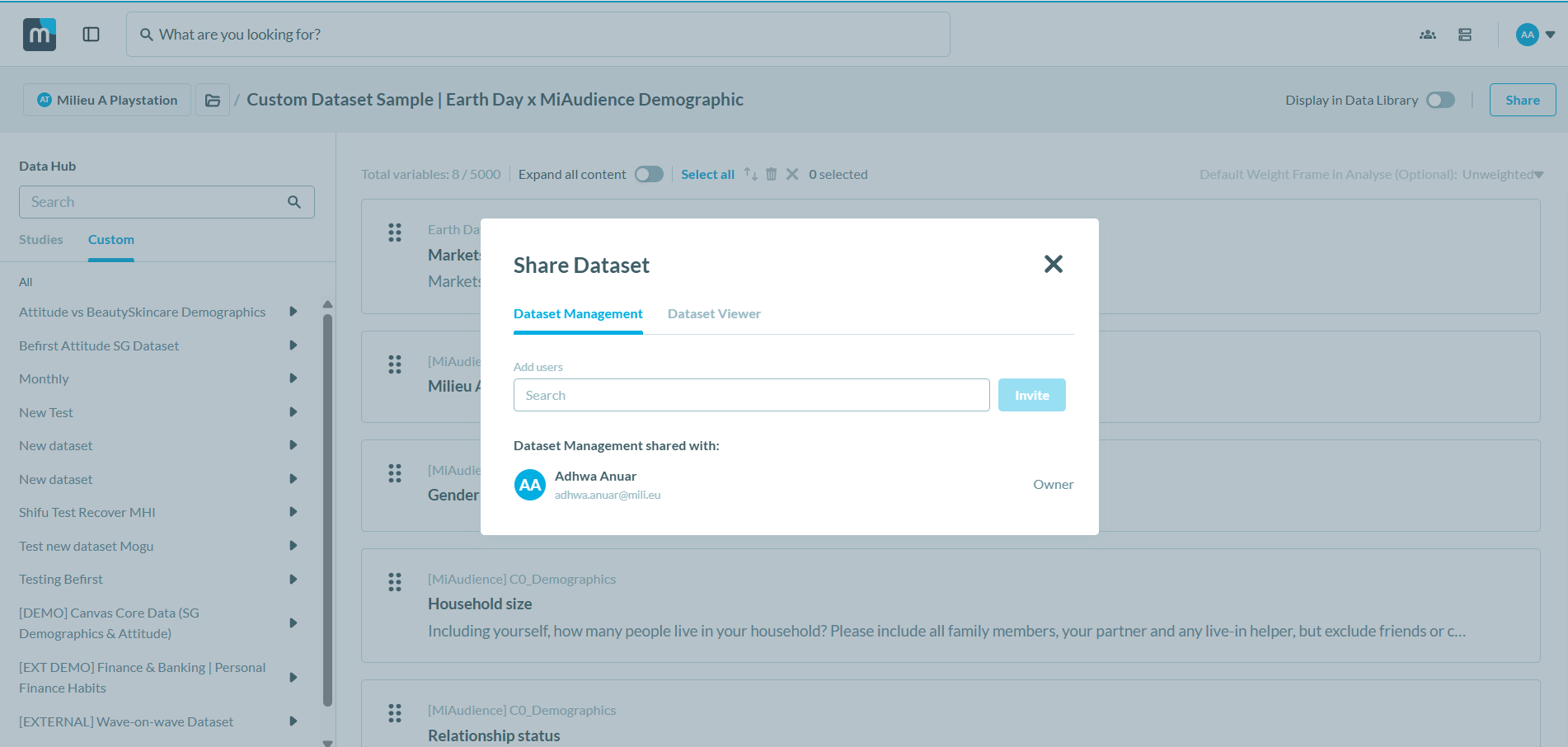
- The sharing UI will show two tabs: Dataset Management & Dataset Viewer.
- Owners and Admin of a study may add users as Dataset Editors under Dataset Management. These users have the permission to add or remove variables from a dataset.
- Access level Editor, Admins, and Owners may add users as Dataset Viewers under the respective tab so that users with Dataset Viewer permission may use these dataset to create tables in Analyse or charts in Visualise.
- Set the necessary permissions for other users for this custom dataset and select Invite.
Types of permission settings for custom dataset:
- Permissions levels for custom datasets are as per the following:
- Dataset Editor
- Dataset Viewer
- Set the respective permissions for users based on your desired outcome for dataset sharing
| Edit Dataset Title in Hub | Reorder, include and exclude datapoints in datasets | Build dataset tables (in Analyse) | Use dataset for building charts (in Visualise) |
Dataset Editor | ✔ | ✔ | ✔ | ✔ |
Dataset Viewer | ✘ | ✘ | ✔ | ✔ |
Was this article helpful?
That’s Great!
Thank you for your feedback
Sorry! We couldn't be helpful
Thank you for your feedback
Feedback sent
We appreciate your effort and will try to fix the article