Workspaces let you organise your resources in Canvas 2.0. Instead of navigating to each module separately to find a study, table, or report, you can group all related resources — regardless of type — into a single shared space.

What is a Workspace?
Think of a workspace as a container that holds resources from across Canvas 2.0 modules. Within a single workspace, a user can store:
- Studies
- Data management resources
- Tables
- Reports
This makes it easier to keep everything related to a project — from fieldwork to analysis to reporting — in one place, accessible to everyone on your team.
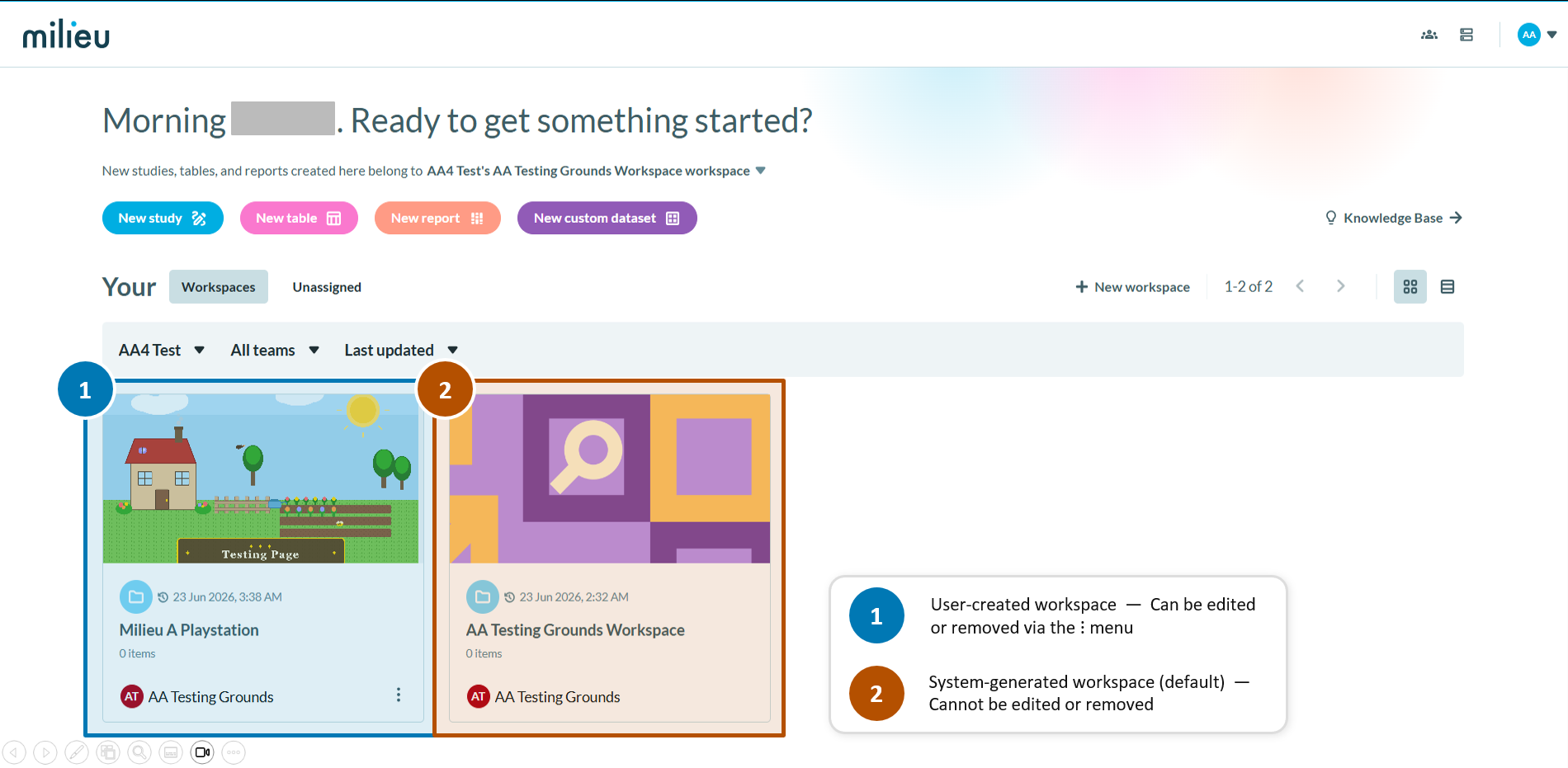
Default Workspace
When a team is first set up, a default workspace is automatically created. This workspace cannot be deleted, but you can rename it and add resources to it.
Who can see Workspaces?
Workspaces are shared within your team. All team members with access to Canvas 2.0 can view workspaces belonging to their team. Access and editing rights are governed by your role permissions — set by an Admin or Organisation Owner.
Was this article helpful?
That’s Great!
Thank you for your feedback
Sorry! We couldn't be helpful
Thank you for your feedback
Feedback sent
We appreciate your effort and will try to fix the article