Starting from 19th January 2026, account usage measures have been implemented for enhanced platform security and better account management.
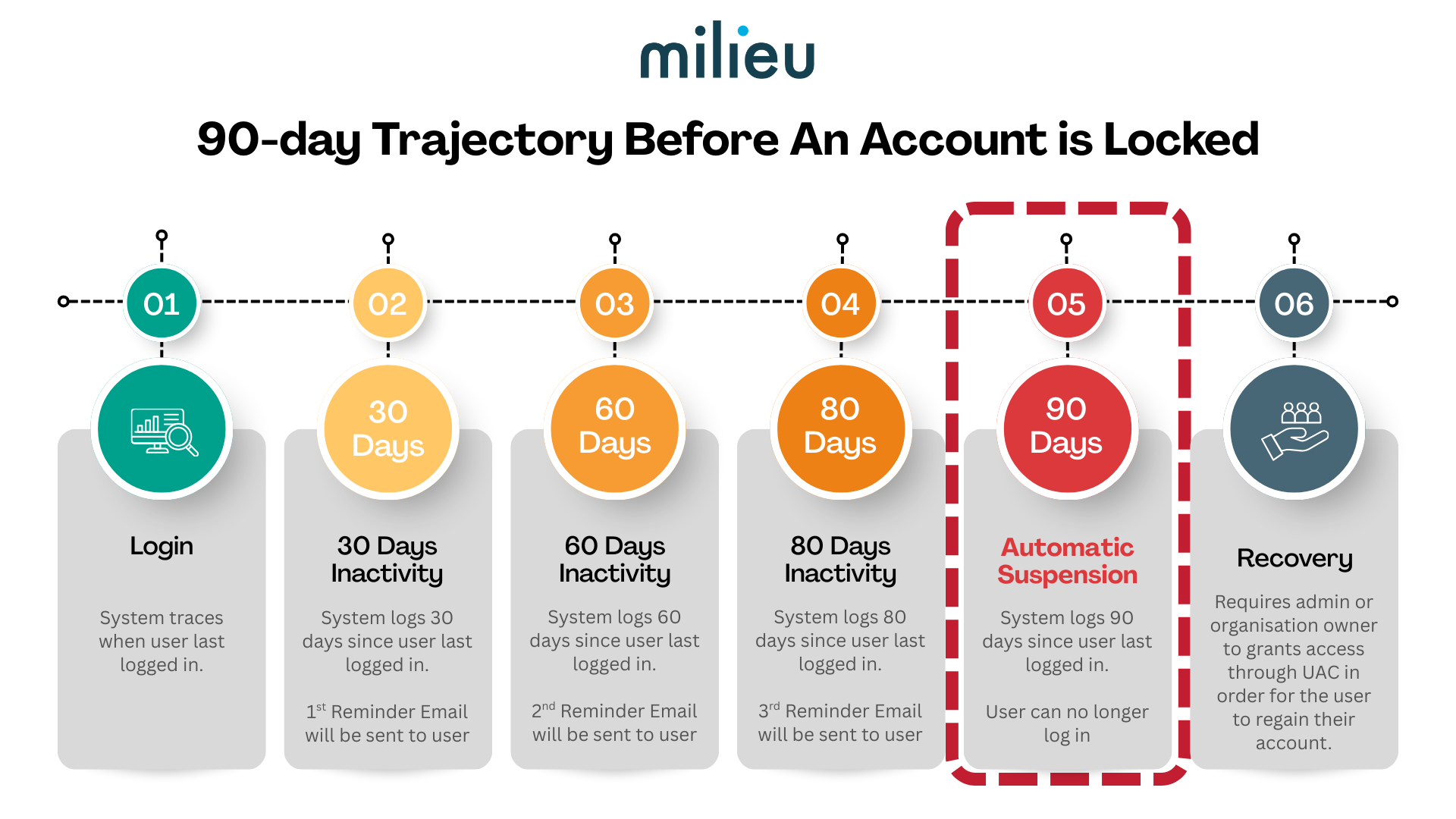
Managing Your Account to Avoid Suspension
If you want to keep your account active, follow these steps:
- Monitor Your Inbox: Keep an eye out for automated reminder emails at the 30, 60, and 80-day marks of inactivity.
- Log In to Reset: To stop the countdown, simply log in to your Canvas 2.0 account. This immediately resets your "inactivity timer" back to zero.
- Check Status: If you reach Day 90 without logging in, your account will be automatically suspended, and you will lose access to the platform.
Platform Security
The primary goal is to tighten security by reducing the number of idle accounts that could be compromised and ensuring that seat licenses are being used efficiently.
Was this article helpful?
That’s Great!
Thank you for your feedback
Sorry! We couldn't be helpful
Thank you for your feedback
Feedback sent
We appreciate your effort and will try to fix the article